★ Coming Soon

Is it morning yet?
Ask the critter.

Toddlers can't read a clock, so 5 a.m. feels like morning to them. Cozy Critter shows them the answer. While the critter sleeps, they stay in bed. When it wakes up and the screen lights up, so can they.

  • No subscription
  • No account
  • Works without WiFi
A child asleep with a stuffed bunny beside Cozy Critter, which shows a sleeping bear and stars on a deep blue screen

The night shift nobody signed up for

5:12 a.m.

Small footsteps, a hand on your cheek, and a cheerful voice asking if it's time to play. It isn't. You both know how the rest of the day goes now.

"Is it time yet?"

They ask at 5:40, again at 5:55, and again at 6:10. Every answer sounds like a maybe, because the numbers on a clock don't mean anything to them yet.

"Just one more"

One more book, one more sip of water, one more hug. Bedtime turns into a negotiation because "night" is an idea they can't see.

Little kids follow what they can see. Give them a sleeping critter at night and a waking one in the morning, and the rule stops being yours to argue about.

Three screens, no numbers to read

You set the times once in the app. From then on the clock does the explaining, every night, in a way your child understands at a glance.

🌙

Sleep

The critter is fast asleep under the stars. That means stay in bed, little one.

Bedtime → 5:30 AM
✨

Transition

A gentle arc fills up as morning gets closer. Rest a little longer, it's almost time.

5:30 AM → 6:30 AM
☀️

Wake Up!

The critter wakes up and the screen lights up. Now it's okay to get up and play!

6:30 AM →

The times shown are an example. You choose your own, and there's an optional wind-down before bed and a nap mode for afternoons.

The hour before morning, made visible

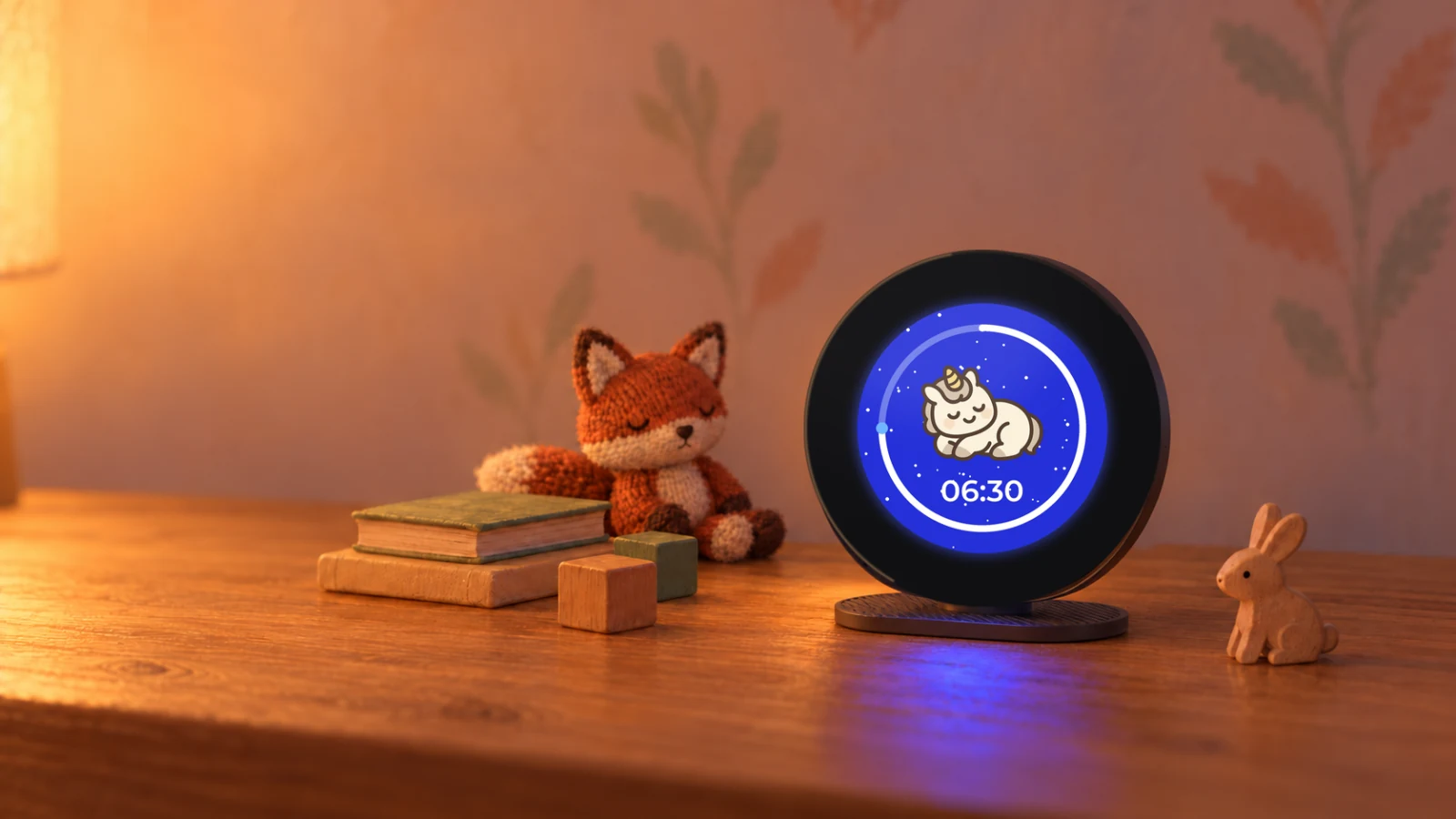
Early wake-ups rarely come from a child who is ready to get up. They come from a child who stirs at 5:40 and has no idea whether morning is five minutes away or two hours. Transition answers that. The critter keeps sleeping, and a ring around the screen fills up as wake time gets closer.

Cozy Critter on a bedside table beside a knitted fox, wooden blocks and books, showing a sleeping unicorn with a white ring three quarters of the way around the screen

A thin sliver

Plenty of night left. Snuggle back down and close your eyes.

Halfway round

Morning is on its way. Rest a little longer.

Almost closed

Nearly time. The critter is about to wake up.

Made for real family nights

Early risers, short naps, late nights and the occasional power cut. Cozy Critter handles all of them.

🎨

Twelve Critter Themes

Bear, owl, unicorn, snail, ladybug, rocket and more. Let your child pick a favorite and switch whenever they like. New critters arrive over WiFi.

😴

Nap Mode

Naps follow the same rules as nights. Start a 30 to 120 minute nap with one tap, or set a daily nap window that runs by itself.

🔔

Gentle Wake Sounds

Five optional wake melodies, from birdsong to soft chimes. Or keep mornings silent and let the screen do the talking.

📱

iPhone, Watch & Siri

Change the wake time without getting out of bed, start a nap from your watch, or just ask Siri.

💡

Adjustable Brightness

Set the brightness of each screen on its own. Turn it right down for sleep and brighter for morning.

📶

No Subscription, No Account

Pay once and it's yours. Bluetooth handles setup and everyday control, WiFi is optional, and the clock keeps its own time through a power cut.

Set it once from your phone

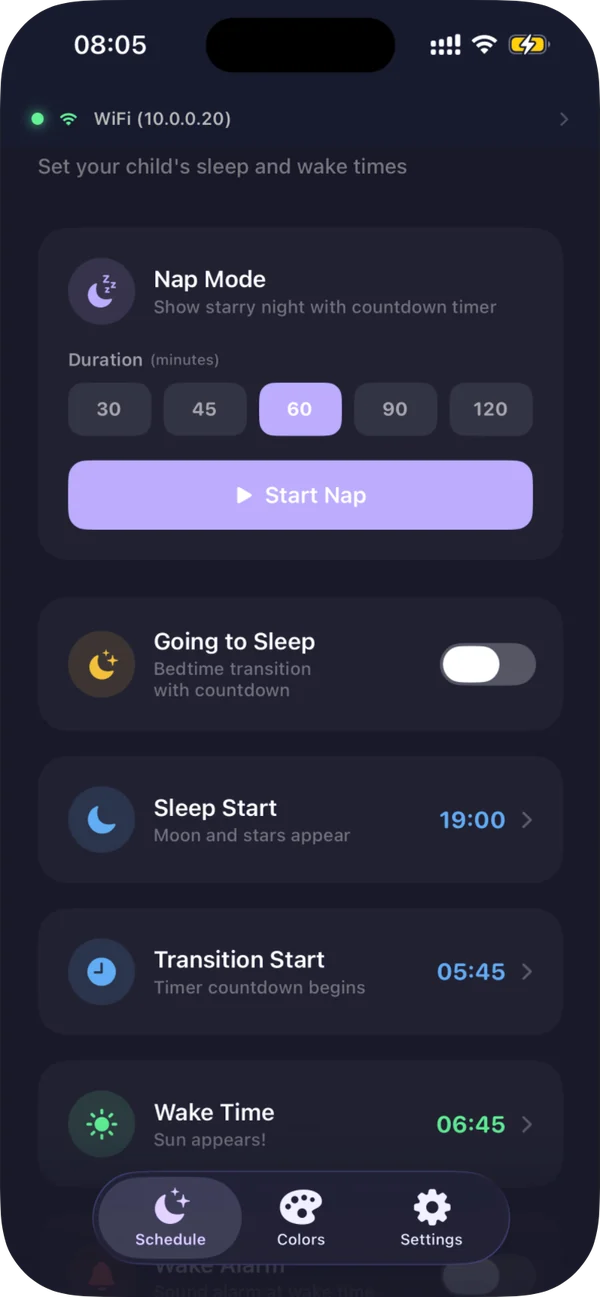
The free iPhone app sets the schedule once, then lets you change any night without tiptoeing into their room.

  • Pick sleep, transition and wake times with simple time pickers
  • Late night? Push tomorrow's wake time by 5, 10 or 30 minutes
  • Choose screen colors from 16 presets or a full color wheel
  • Send any of the twelve critters to the clock
  • Get improvements through automatic updates
Cozy Critter app showing per-state color and brightness controls
Cozy Critter app showing the sleep, transition and wake schedule
Cozy Critter app showing the twelve downloadable critter theme packs
Cozy Critter Apple Watch app showing Start Nap with 30 minute, 45 minute, 1 hour and 1 hour 30 minute buttons

Bedtime control on your wrist

The watch app follows the clock. During the day it starts naps. Overnight it moves the wake time, so an early start never means hunting for your phone in a dark room.

  • See at a glance whether it's sleep, transition, wake or nap time
  • Daytime: start a nap from 30 minutes to 2 hours in one tap
  • During a nap: follow the countdown, or end it early
  • Sleep and transition: move the wake time earlier or later by 5 or 10 minutes, or reset it
  • Keep the clock's state on your watch face
A parent's wrist resting on a knitted throw, the Cozy Critter watch app showing a nap ring with 13 minutes left and a Cancel Nap button

Before you join the list

When can I buy one?

We're finishing the first batch now. Join the early list and you'll hear from us the moment it's ready to order.

Is there a subscription?

No. There's no subscription, no account to create, and nothing to pay after you buy the clock. The iPhone and Apple Watch apps are free.

Do I need WiFi?

No. The app sets up and controls the clock over Bluetooth, and the clock keeps its own time. WiFi is optional and only used for new critters and updates.

Do I need an iPhone?

Yes. Setup and settings happen in the free iPhone app, and the Apple Watch app is an optional extra.

Can I change the colors?

Yes. Each screen has its own color, picked from 16 presets or a full color wheel, and its own brightness.

Built for the bedside

2.1"
Round Touch Display
480×480
Pixel Resolution
Bluetooth LE
+ WiFi
USB-C
Powered

Get on the early list

Cozy Critter isn't on sale yet. Leave your email and you'll hear first when the first batch is ready to order.

We'll only email you about Cozy Critter. No spam, and we never share your address.